
“Oh god, another article about OpenAPI. Please, quobix, shut up.”
No. I will not.
Until this problem is solved and I no longer need to think about OpenAPI tools and products, because OpenAPI has been buried as a commodity… I will not shut up.
TLDR; What’s new
- The Diagramatron
- Focused View
- OpenAPI Doctor GitHub App
- Visual Bundler
- Upgraded Explorer
- Visual Task System
- Themes for the Colorblind!
- Compare two OpenAPI Specs
Once upon a time
In 2019, we were looking at this problem in detail because the company I worked at (VMware) was drowning in piles of absolute dogshit APIs.
Customers could not find, use, or understand them. There were a few OpenAPI specs, and the majority were autogenerated and useless trash.
In the open market, there are a few leaders with tooling that addresses part of the problem, but not all of it.
A pattern that emerged for me, however, is that they all generally require customization of the OpenAPI through extensions to work properly, or require us to change the spec to work with the tooling.
This approach is wrong in my opinion. Requiring modifications to standards to make them work with custom tooling creates one of two things.
- More abstractions (Custom DSL’s on top of OpenAPI)
- Extensions everywhere (Embedded objects, custom JSON, general bloatery)
In other words. MORE (EXPENSIVE) JANK.
Anti-jank as philosophy
My goal is to make it easy for folks to wrangle that net in the dark.
The OpenAPI Doctor is the core of that solution, and it has recently undergone a few significant upgrades that I want to share with you. We’re not there yet, and until the product is ready, it’s completely free to use.
The Diagramatron
One thing that always bothers me about OpenAPI tools that render schemas is that they don’t actually show me the data model in context.
- Why can’t we see the schema rendered as a class diagram?
- Where are the UML diagrams of these data structures we’re creating?
Well, we (as Jay would say), “completed it mate.”
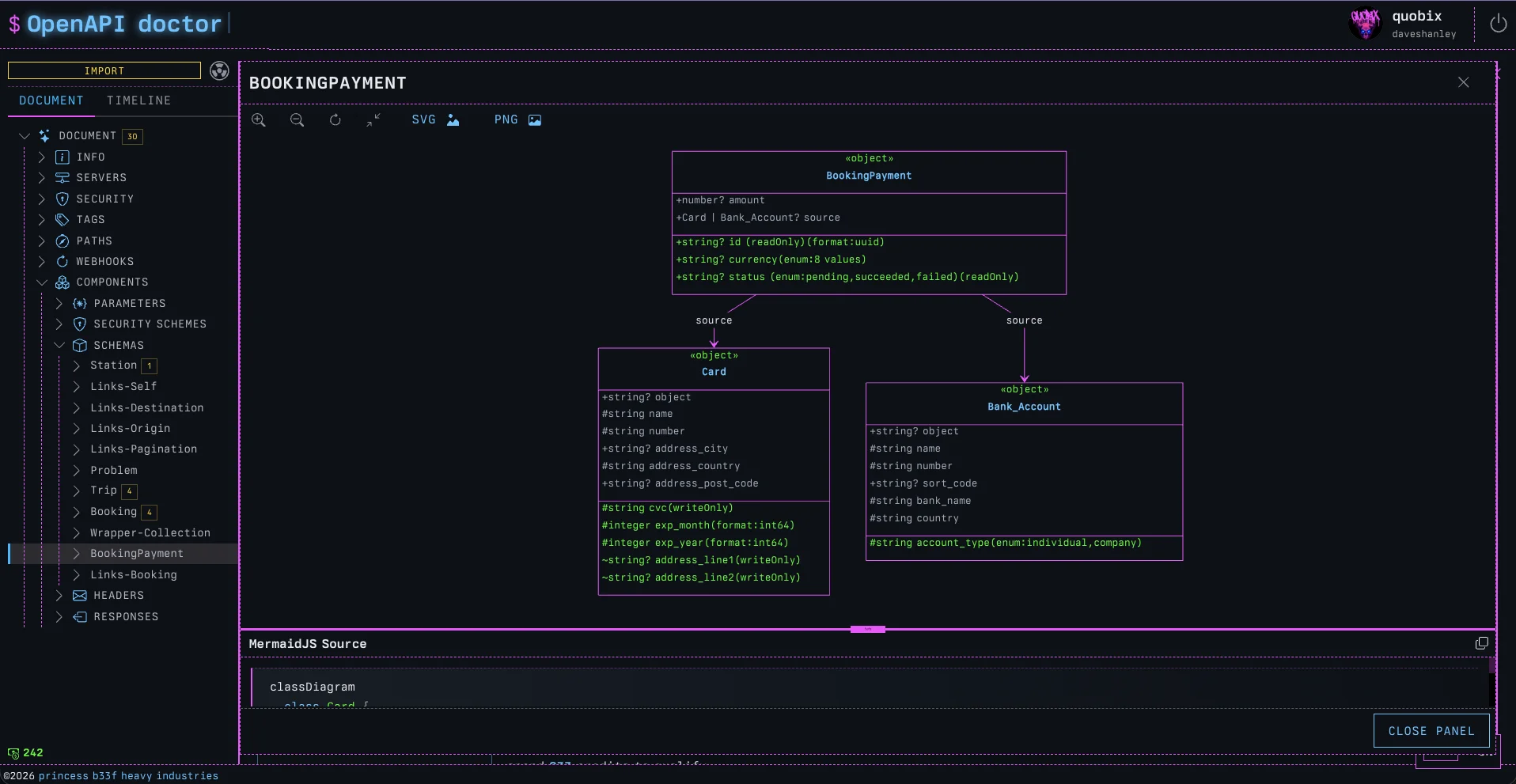
Now, when viewing any Schema in the doctor, we can click on ‘DIAGRAMIFY’ and a fully rendered MermaidJS class diagram will slide out, complete with the source, so we can copy it into our own custom Mermaid diagrams.
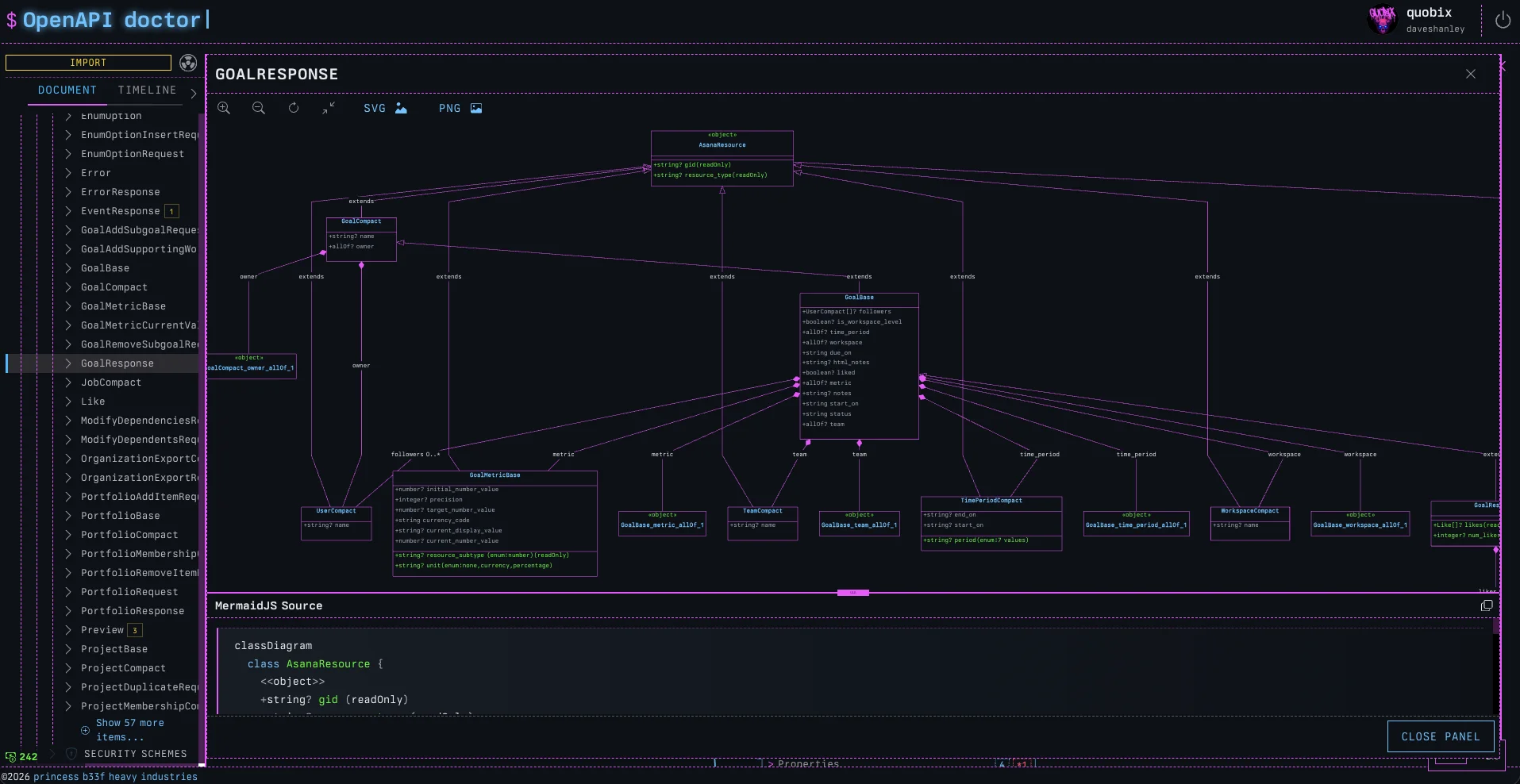
It’s particularly valuable when schemas start growing beyond basic examples. A good example of this is to see the complexity of the Stripe API schemas.
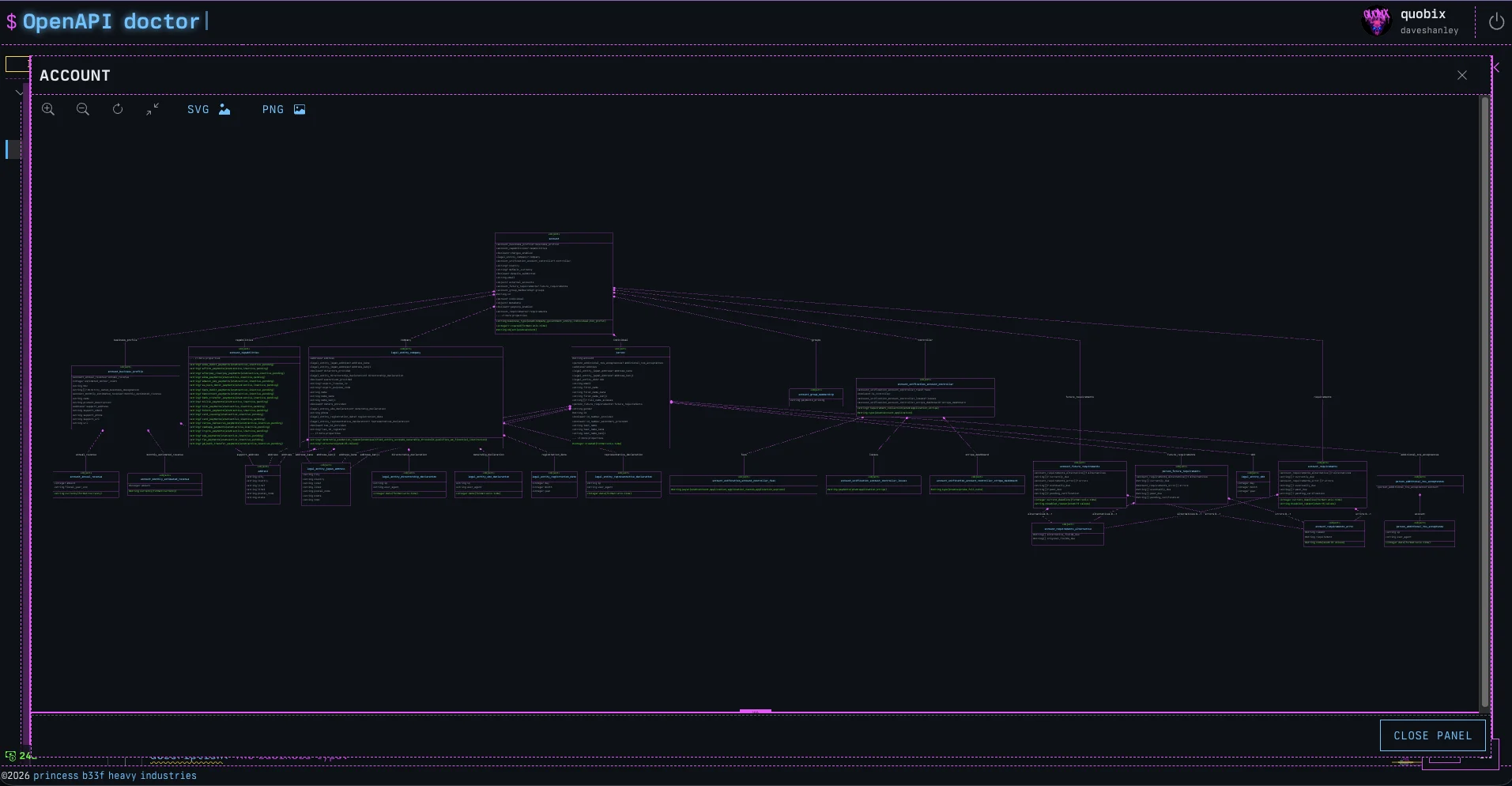
The Stripe examples are more realistic of large scale class composition that most tooling just cannot accommodate.
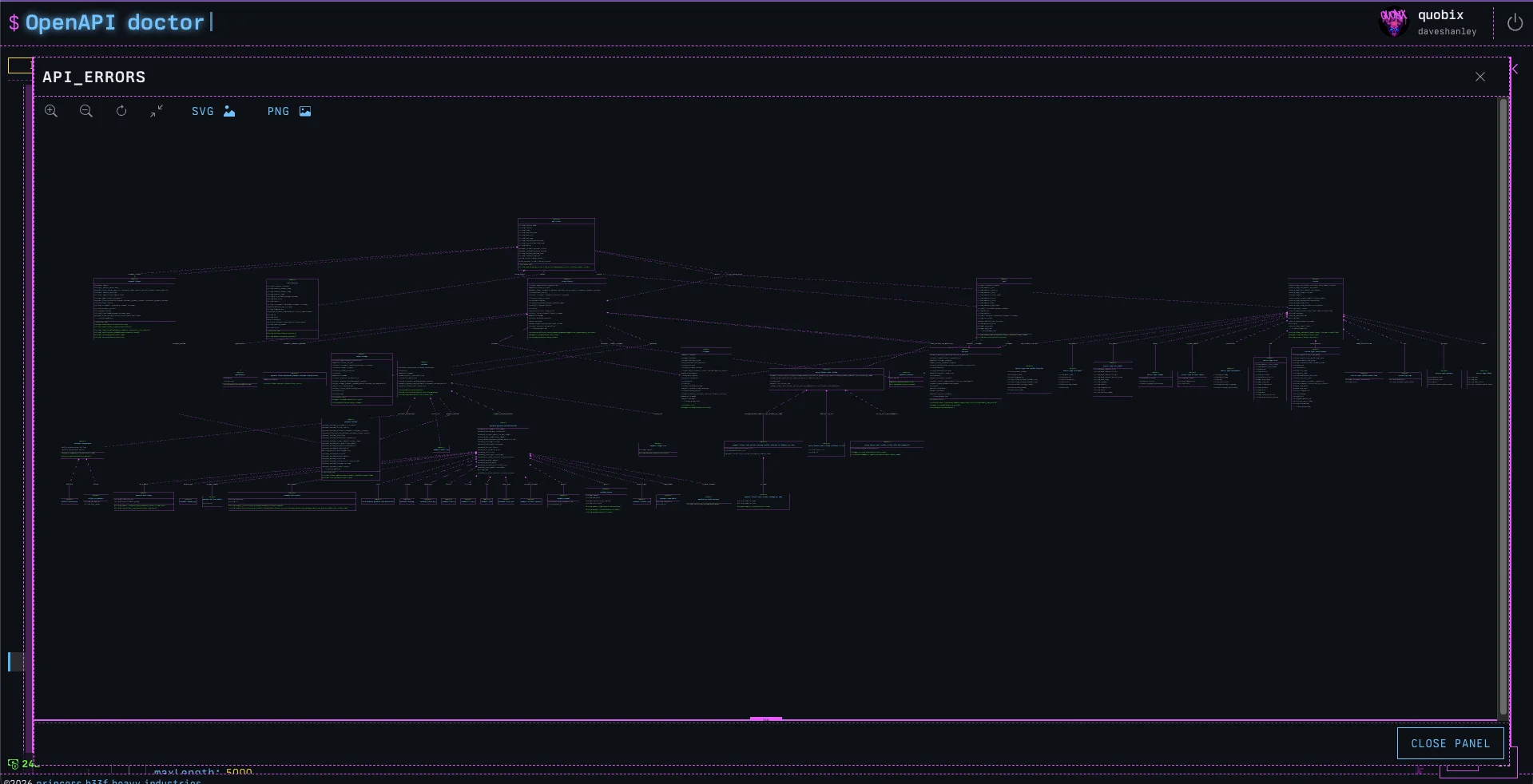
There are full controls for moving around the diagram, and it can be exported to PNG or SVG!
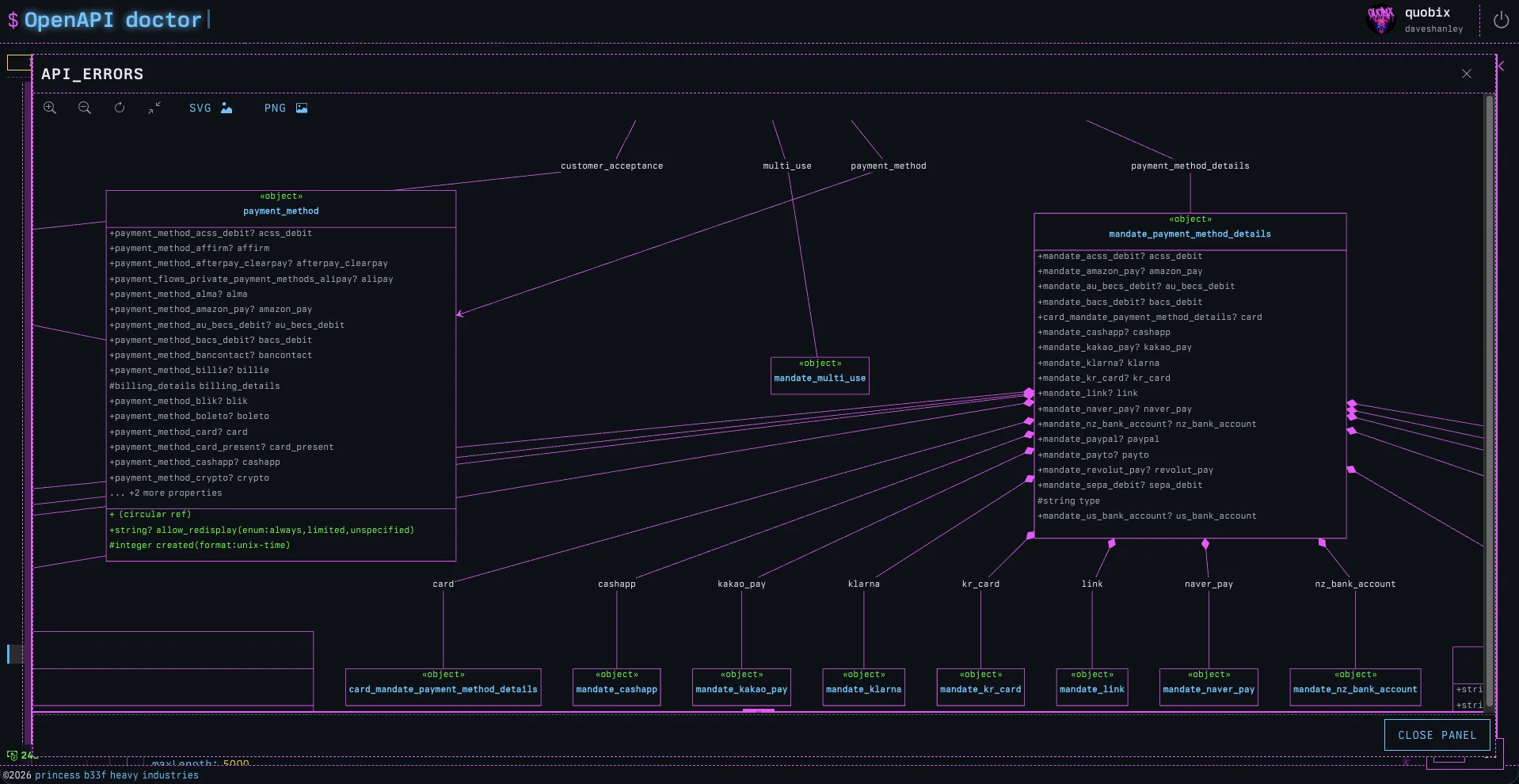
It may be easier to pick objects lower down in the hierarchy to reduce the size of the class diagram for complex structures.
Focused View
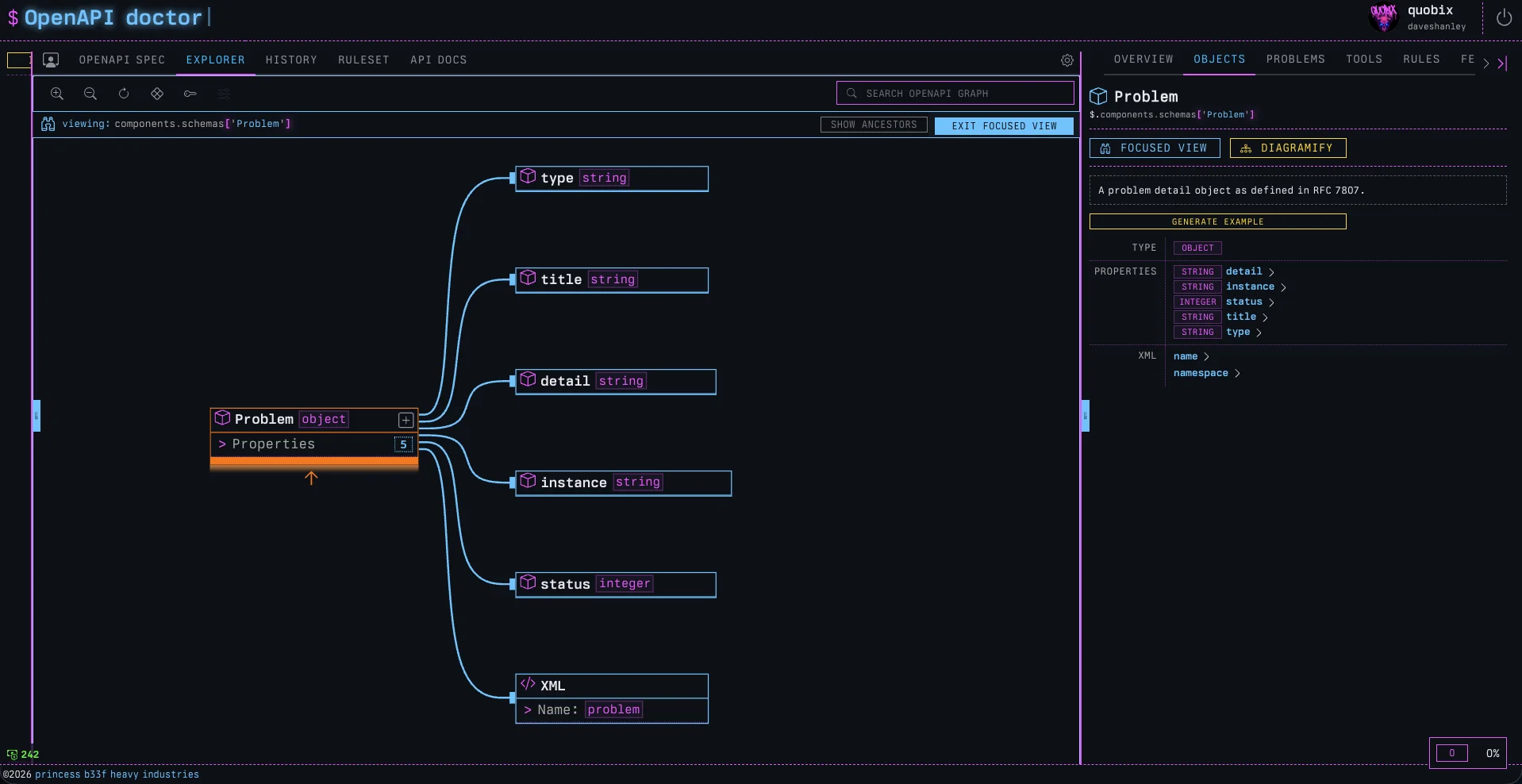
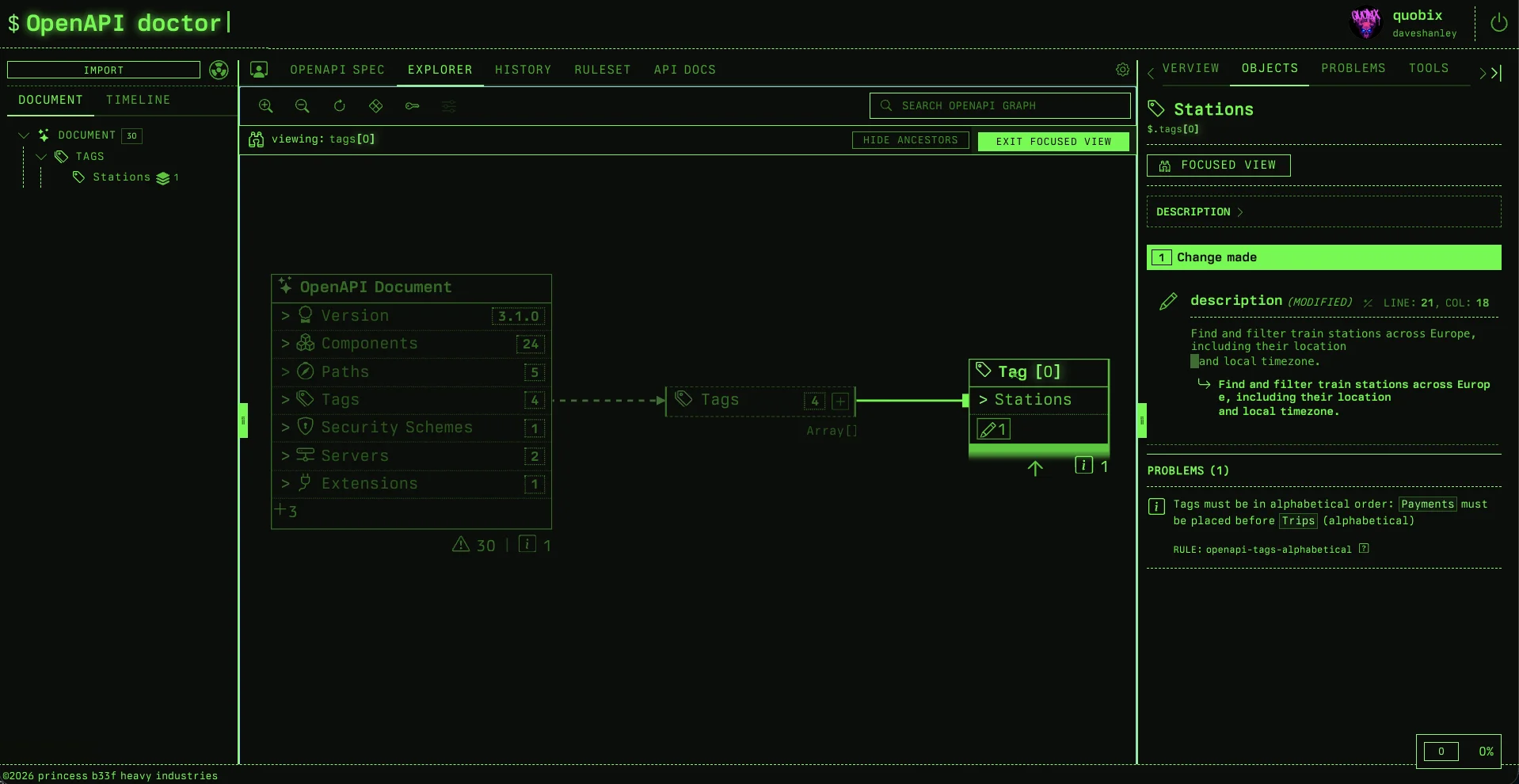
Building on the same ‘why can’t we see how this object is used in the overall system’ idea from the Diagramatron, Focused View renders out any object in the explorer from its own point of view.
For example, if we were to pick any object (schema, parameter, response, operation, etc.) and engage the Focused View, we would see all the upstream ancestors that a model depends on, and all the downstream children that depend on it.
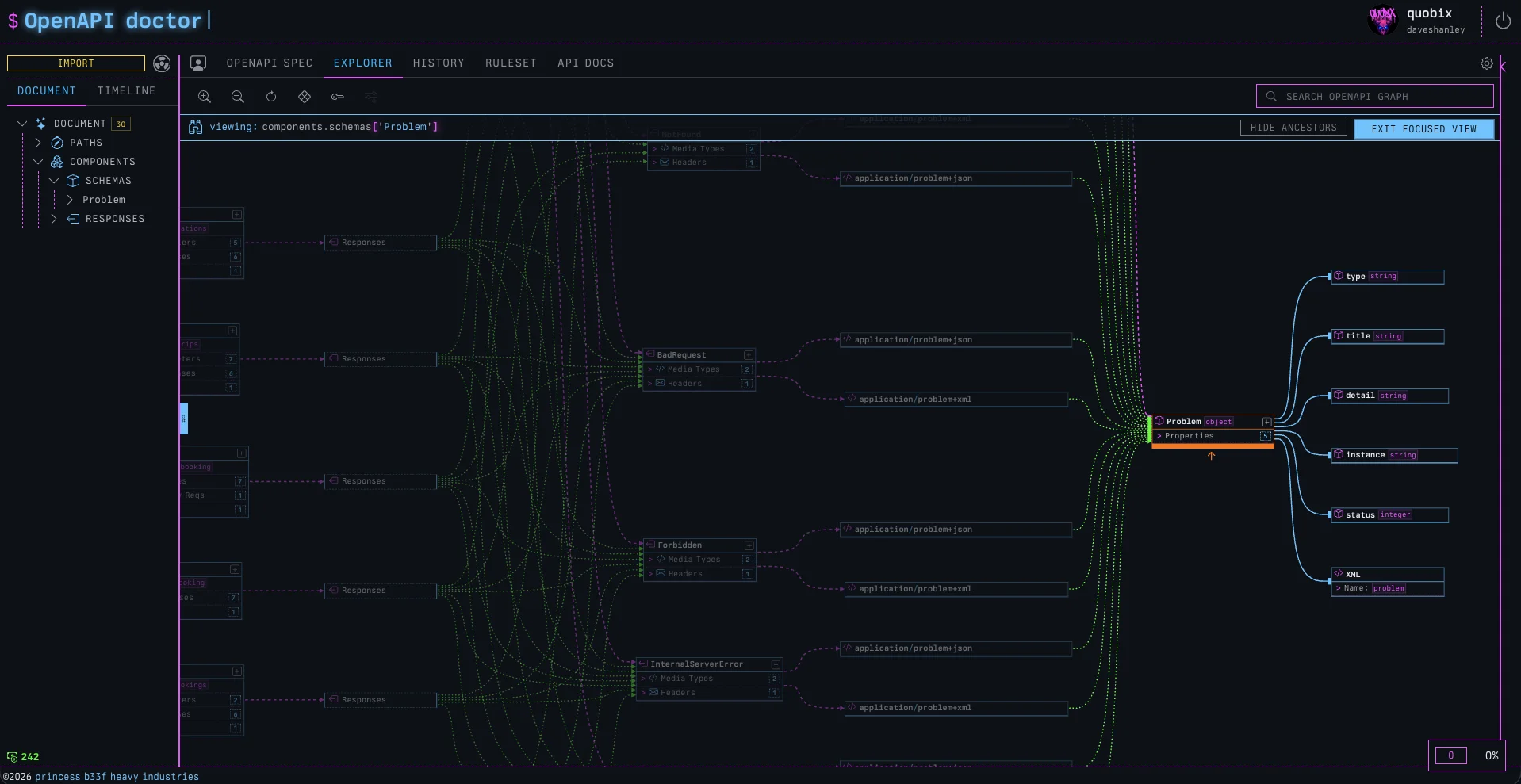
If the Diagramatron lets you see the design of a schema, the Focused View lets you see the impact of any object upon the system.
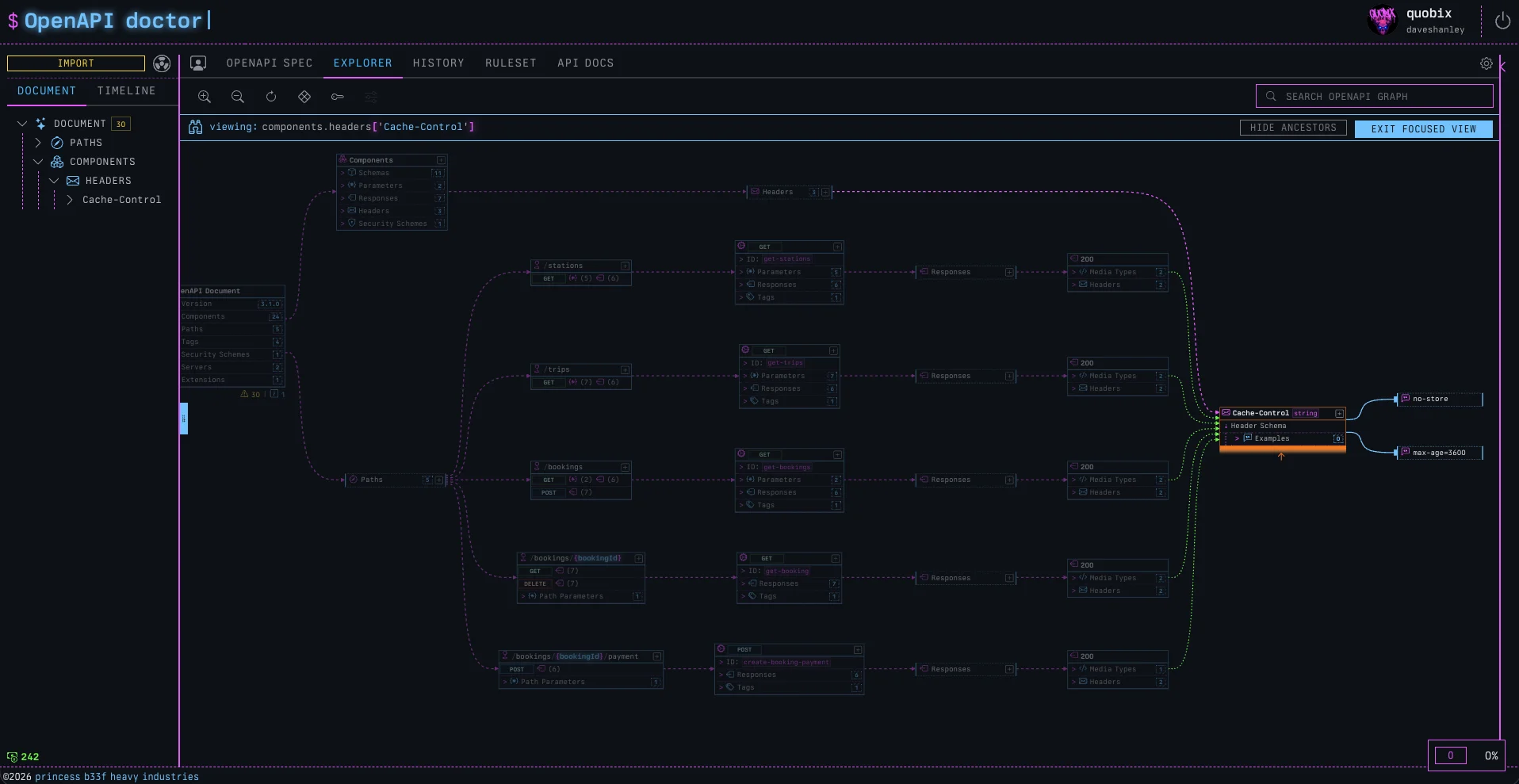
It really is a “show me the graph, but from this specific object’s point of view”. A way for us to see how deeply rooted objects are to one another in our API design, as well as to understand the impact an object has upstream and downstream.
OpenAPI Doctor GitHub App
This one was a lot of fun to build. A huge benefit of using the doctor is the automated integration into GitHub. To govern APIs effectively, we need tools that automatically gatekeep changes to the contracts.
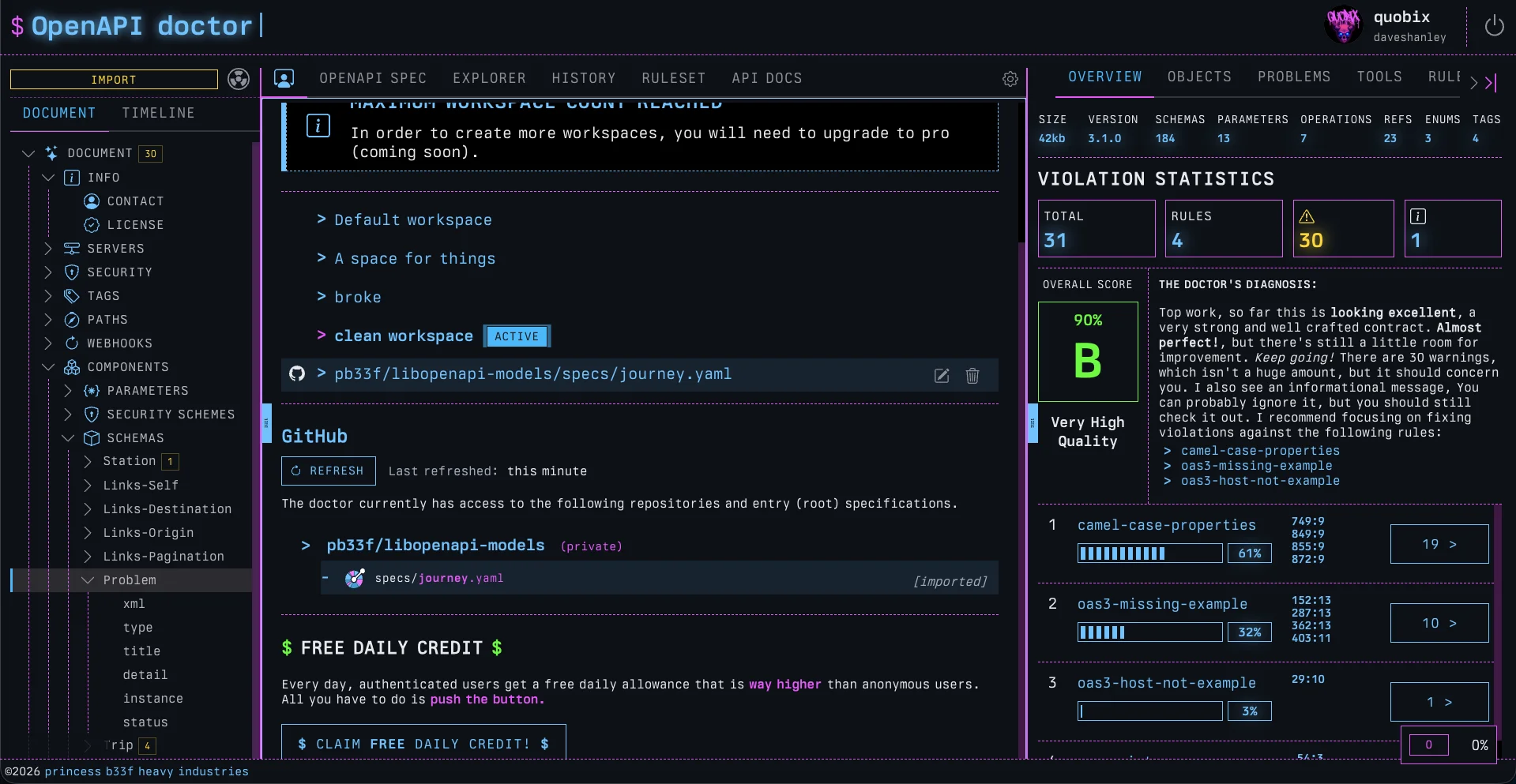
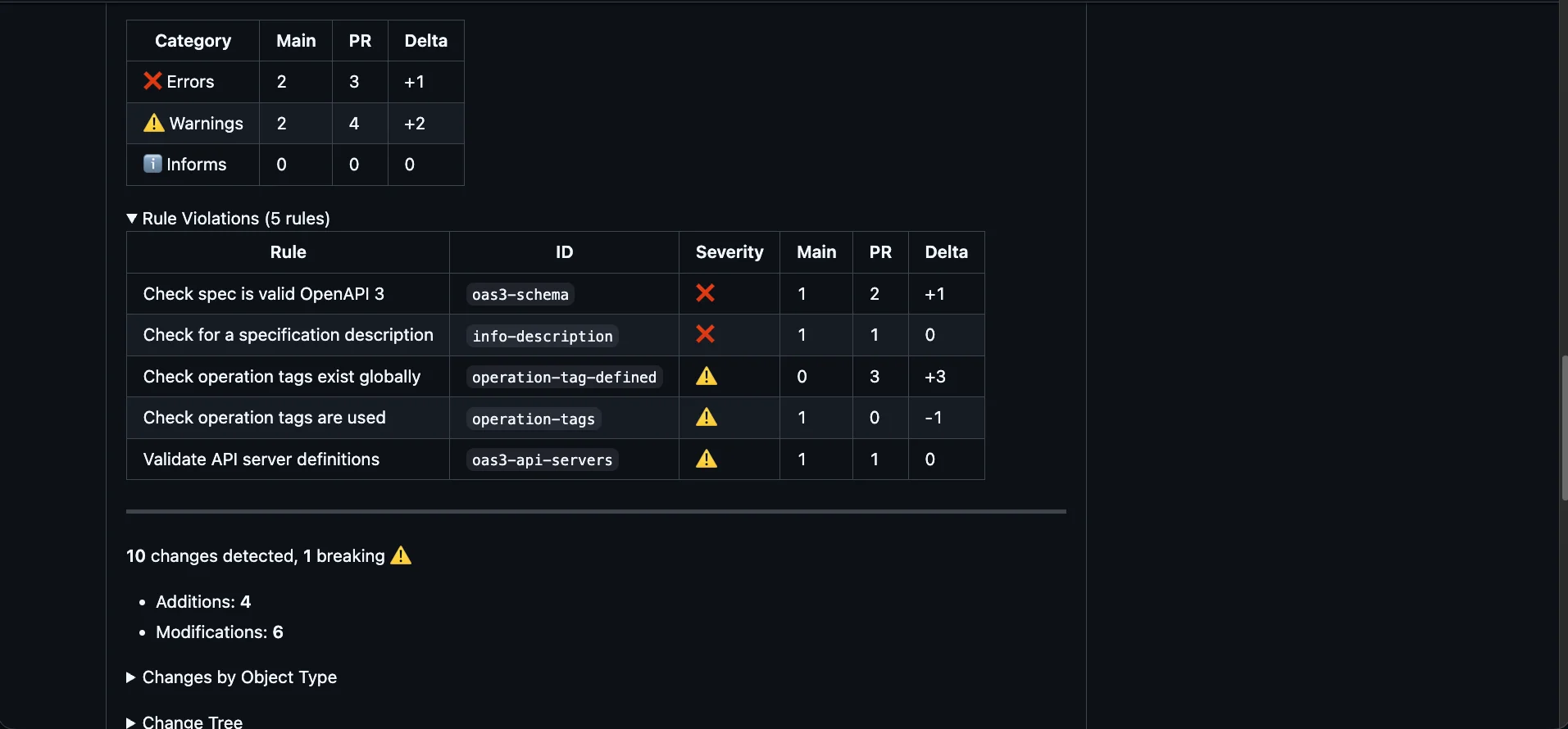
Any time anyone pushes a PR for review, the OpenAPI Doctor will review the changed specification files, lint the entire project, and then build a report outlining the quality score, how it went up or down, violations in linting rules, as well as a full changelog report of all the changes, and how many of them are breaking.
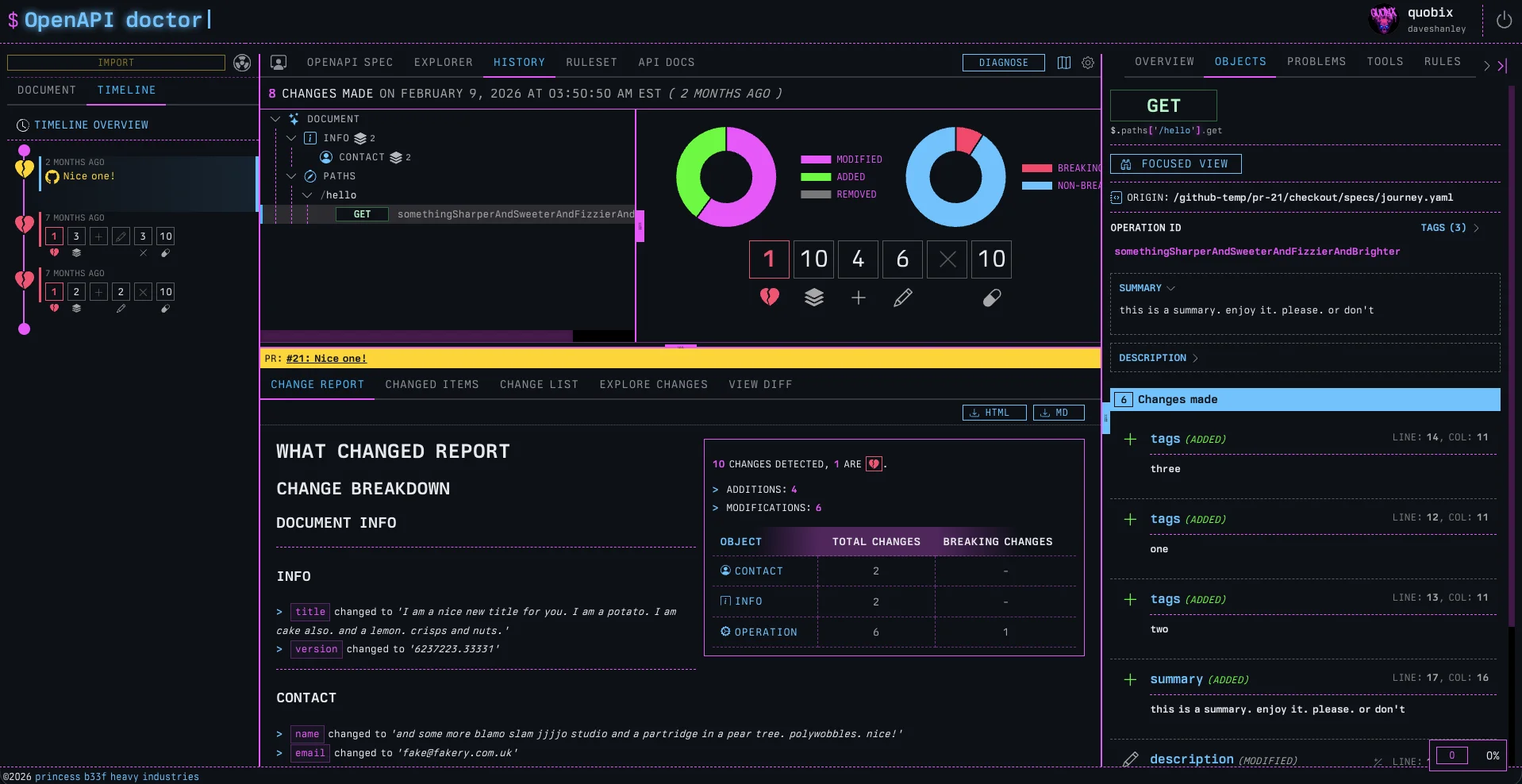
Pipelines can be auto-failed if breaking changes sneak in. Not only does the Doctor report directly in the PR. It also tracks changes in explorable detail, like any other change in the workspace.
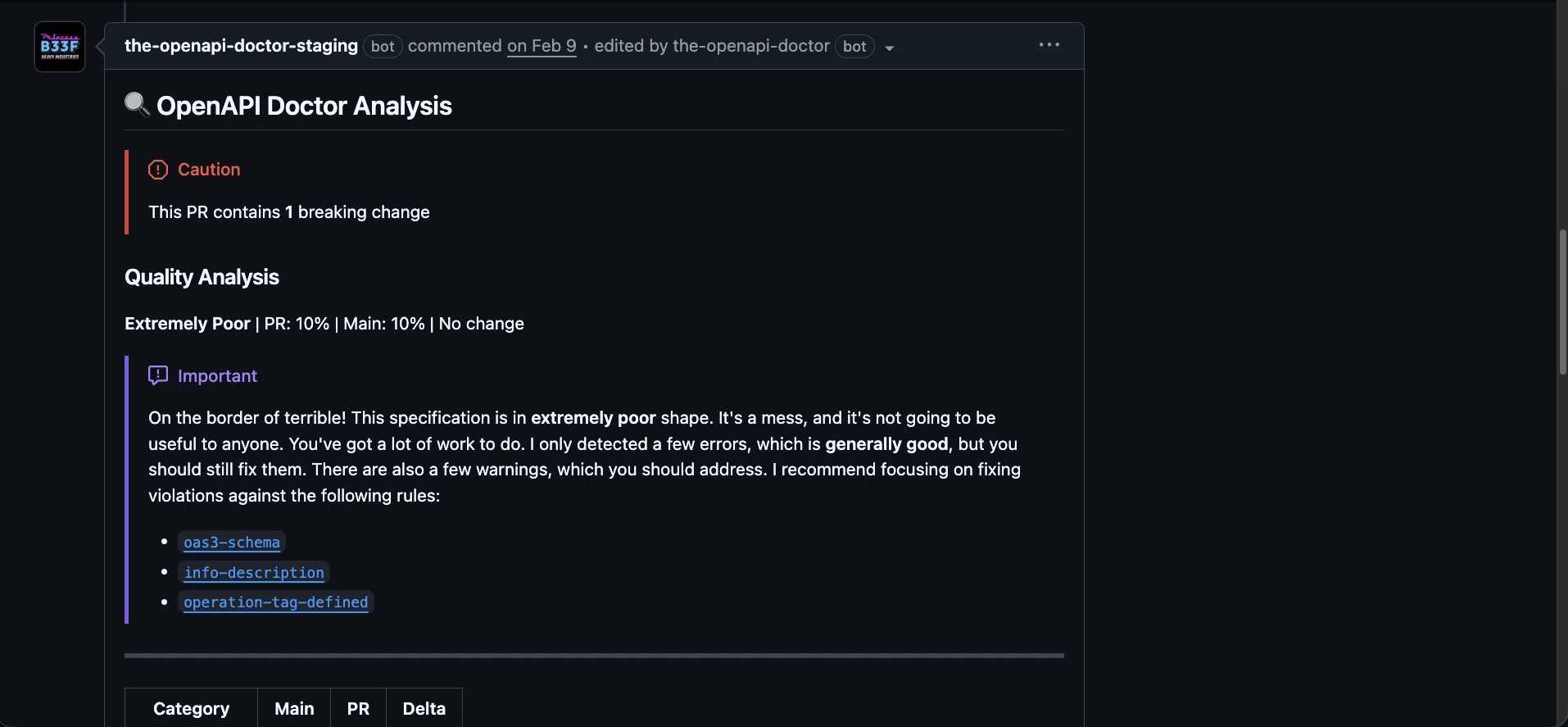
The PR has a complete, focused report available inline.
Visual Bundler
Exploded / Multi-file OpenAPI specifications break most tools, but the doctor was designed for them. When importing multi-file specs into the Doctor via an upload or URL import, the file system is rendered below the Document navigator.
The current problem with un-bundled specifications is that the Document Explorer does not render references, it can’t.
The document navigator is a tree; rendering references would make it a graph. While a tree is a special type of graph, a graph is not a tree.
Think of it like a one-way downgrade: a tree can be created from a graph, but you cannot create a graph from a tree.
So what happens in an exploded file system where everything is referenced out of the root document?
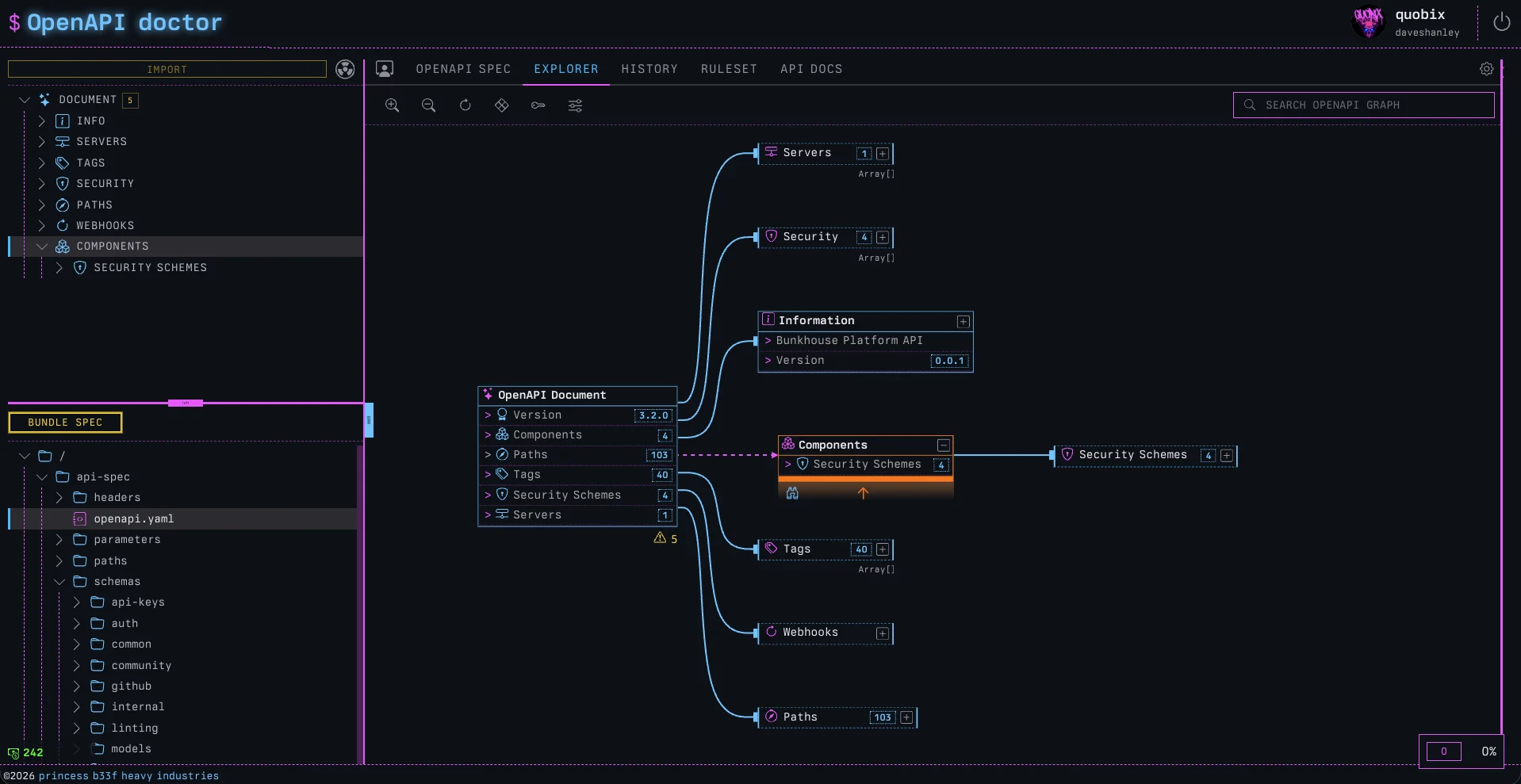
All the schemas are missing from the example above, because of the structure of the document. The root document has no schemas!
In fact, it has no components.schemas section at all.
Before the bundler was added to the platform, we simply could not use the document tree to navigate. With the introduction of the Bundler, clicking the control will re-compose the document internally and rebuild the tree into a single document that uses canonical locations for references.
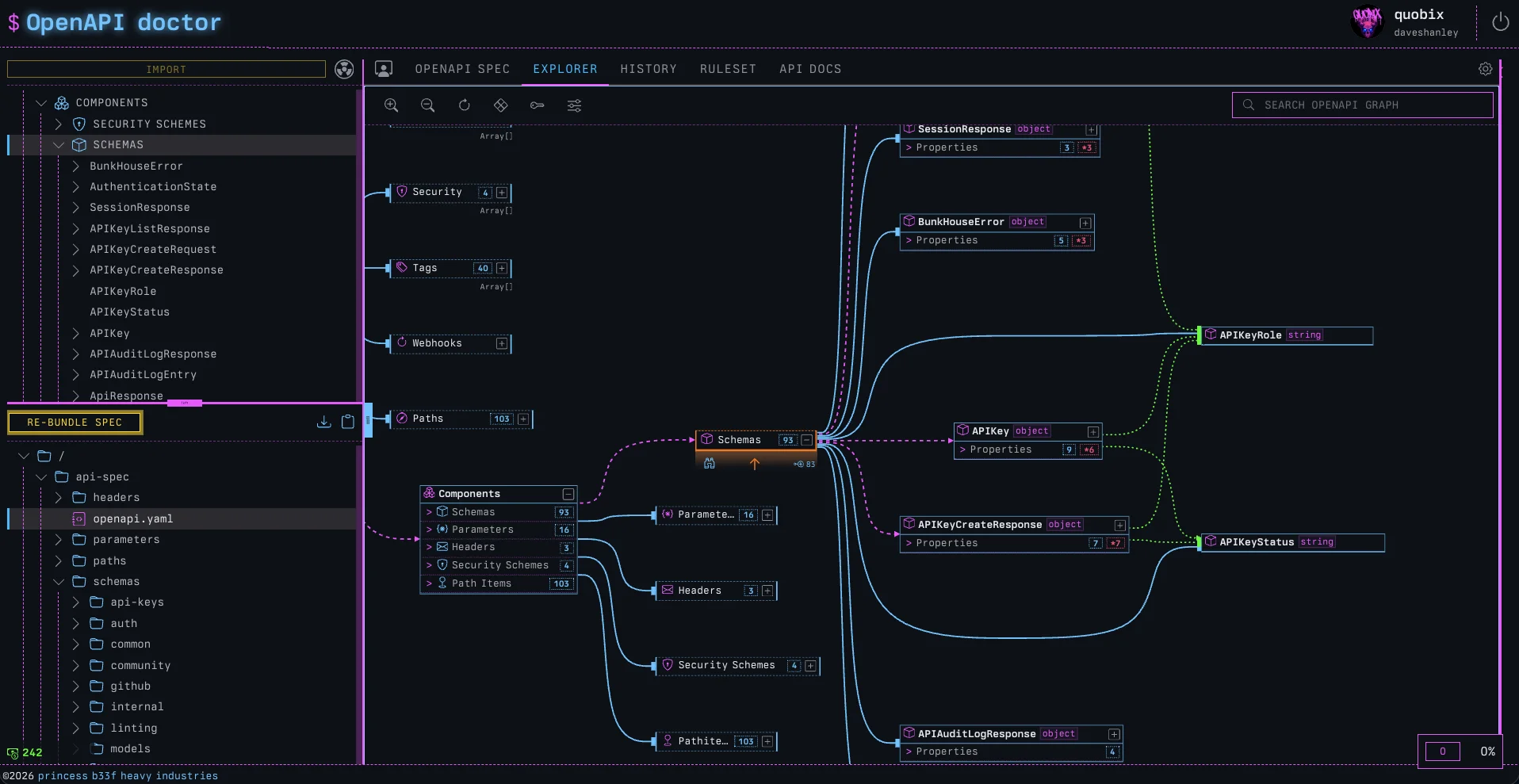
The contract is identical (no actual changes), but now that it’s internally bundled, we can see it all in one place! We can also download the bundled spec in JSON or YAML format.
Bundling has no effect on the actual spec file system, it’s simply an in-memory operation.
Upgraded Explorer
Speaking of the explorer, another tune-up involves how it renders. Before, it used to render the entire object graph, all at once. There were filters to control what was shown, but the amount of data was too much for anyone to make sense of, even with them.
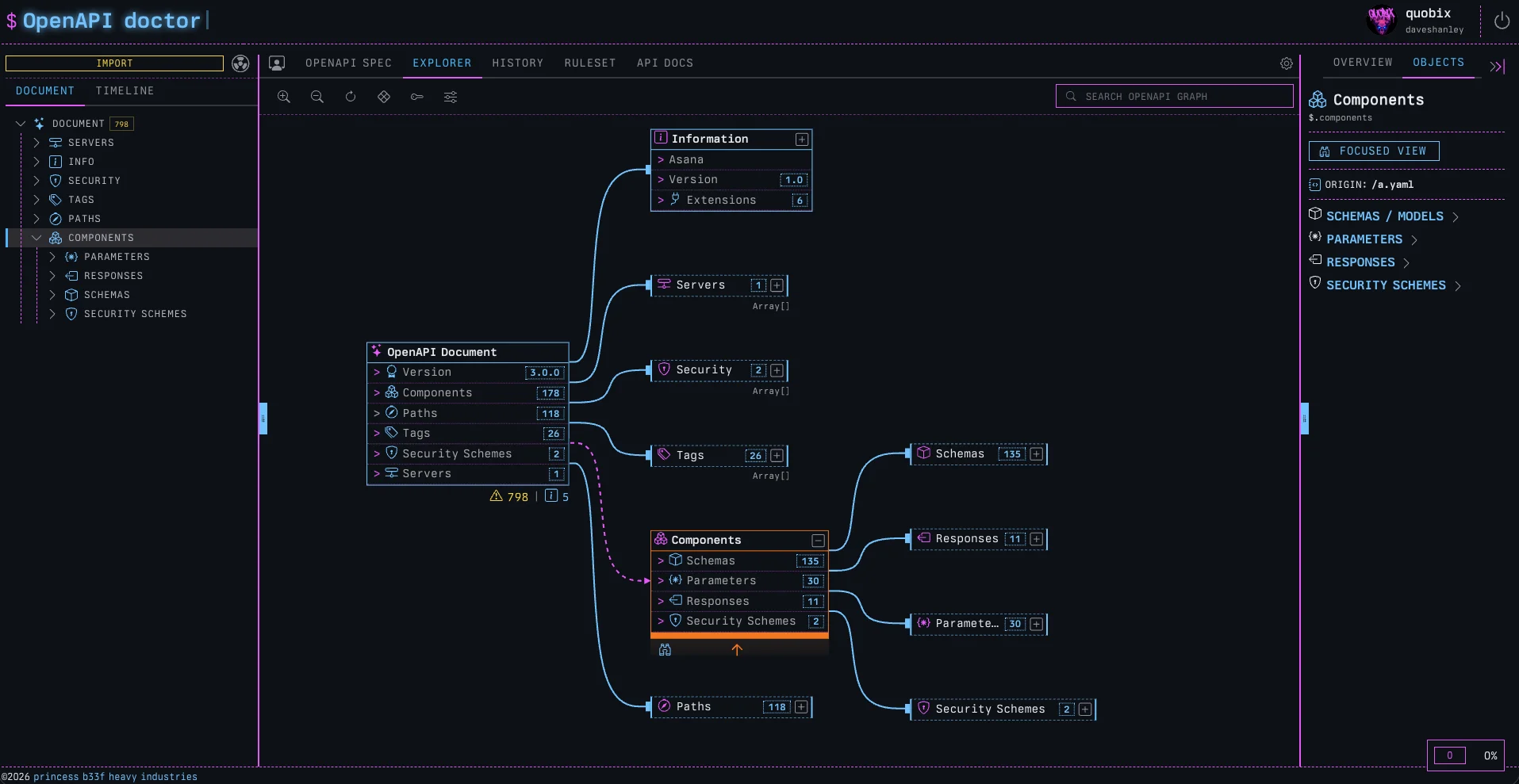
Now the graph starts in a collapsed state and supports focused exploration through a progressive disclosure pattern. As before, the tree and the explorer are connected, so clicking on either will navigate to that node.
If the node is still hidden in the explorer, a path to it will be expanded and shown. It’s really changed the value of the explorer, making it feel much more useful, valuable, and engaging.
Visual Task System
Something that always annoys me is not having insight into what a system is doing.
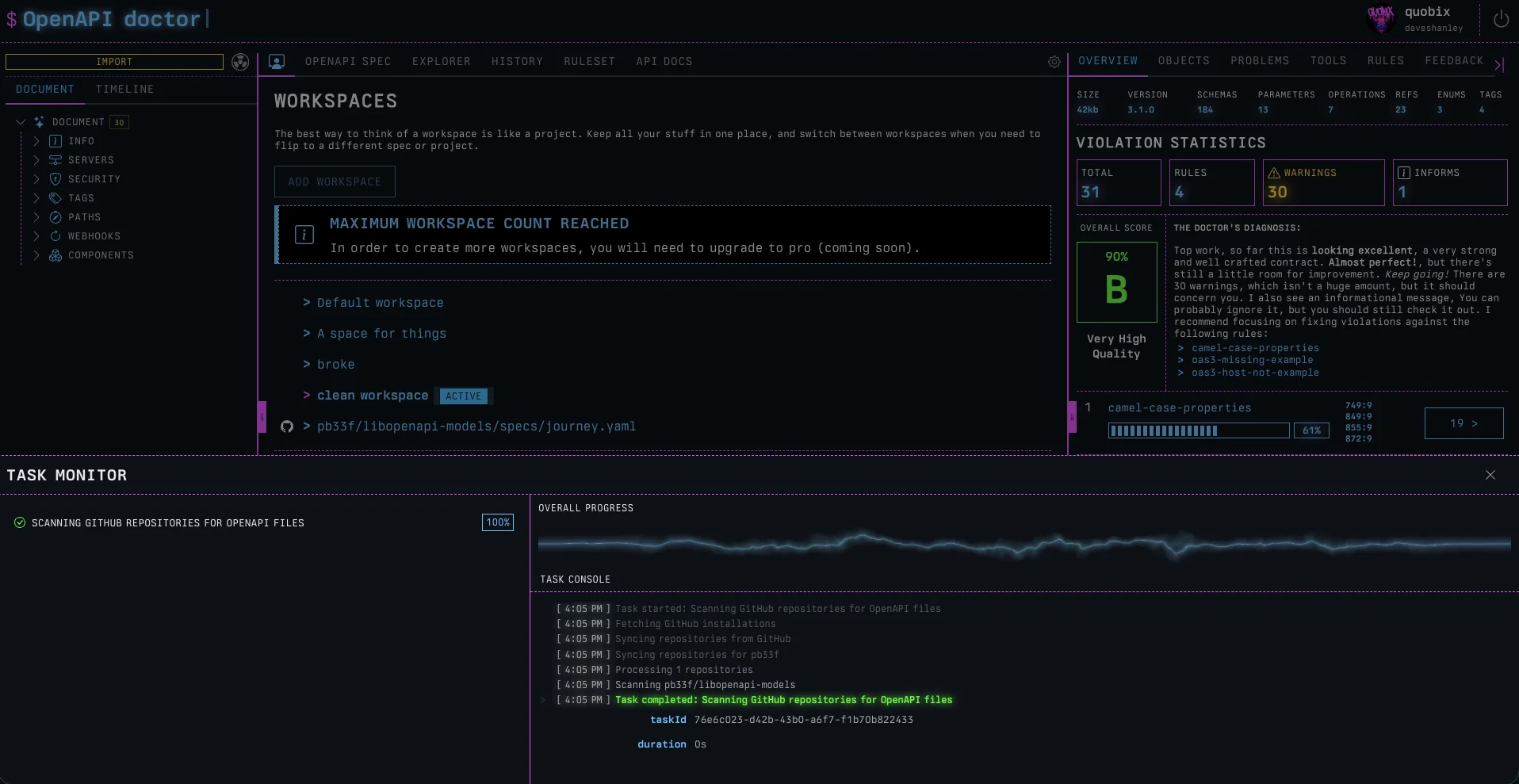
The Doctor now does a lot of async work; in fact, a lot of the platform’s internal mechanics are AsyncAPI-based. Inspecting the browser when connected to the doctor will reveal a WebSocket that is talking STOMP.
PRs get updated, state syncs with GitHub, specs get imported. Lots of this work is long-running, and involves multiple async stages or event sequence steps.
In other words, lots of things are flying about in the background, and we should be able to see them.
Clicking the new, small floating task monitor reveals a simple way to view the current state of any live task. If there is none yet, then we will see a lovely shader animating away. There are three different versions picked randomly.
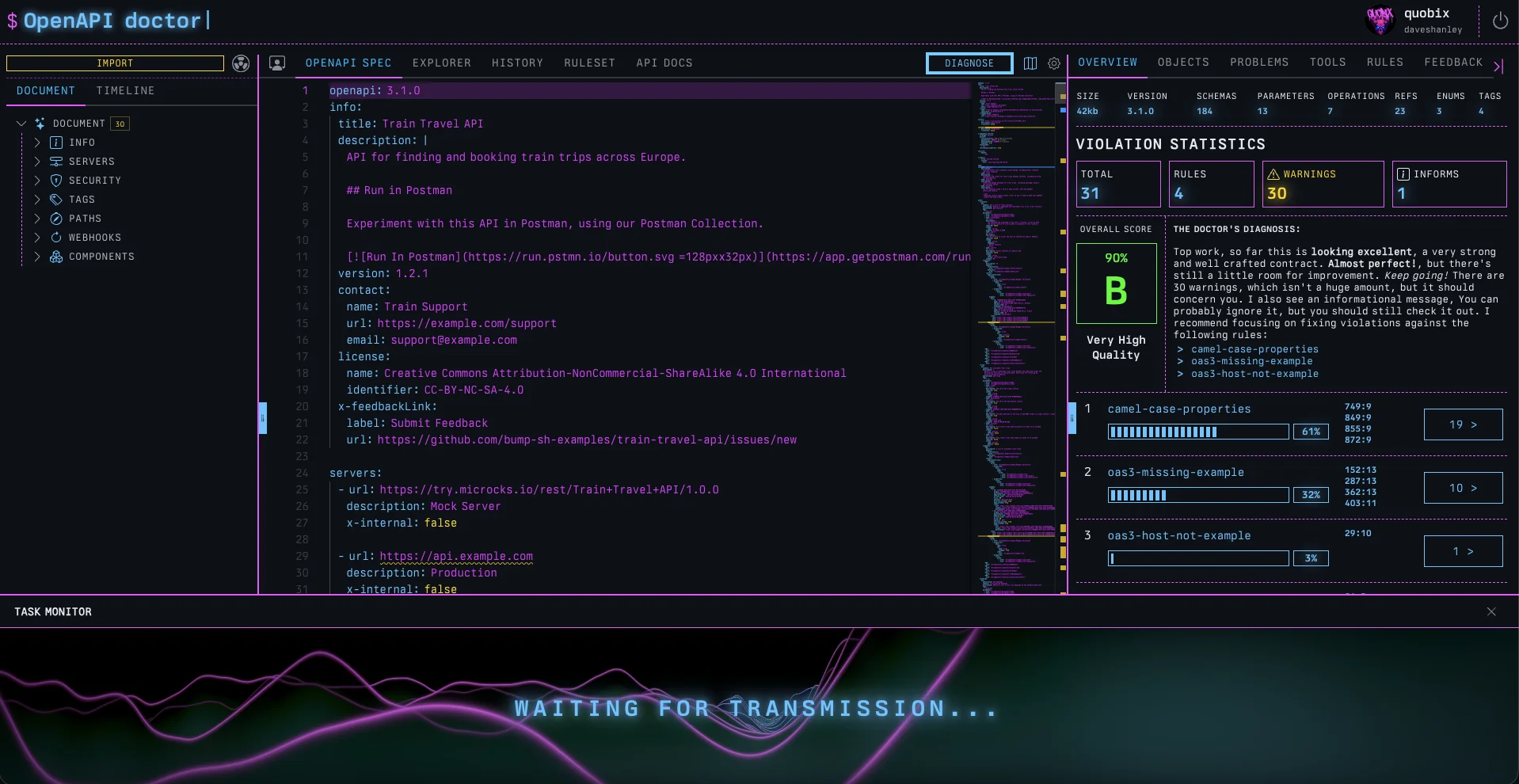
Clicking the taskbar again opens the full task system, where live events are broadcast, and their history can be viewed. We should all be able to see what’s going on, right?
Themes for the Colorblind!
A colleague of mine named Roger Chickering once said to me,
“Is there any way to reduce the color in your stuff, I can’t quite make sense of it”.
The neon colors are a little too much for some people (not me, of course, I love them). Some have different tastes, but more importantly, many folks like Roger are colorblind.
What I see as pink and blue, green and red, are not what Roger sees. Which led me down an interesting path of thinking about a11y in a way that would actually enhance the pb33f experience rather than downgrade it to accommodate visual disability.
What was needed:
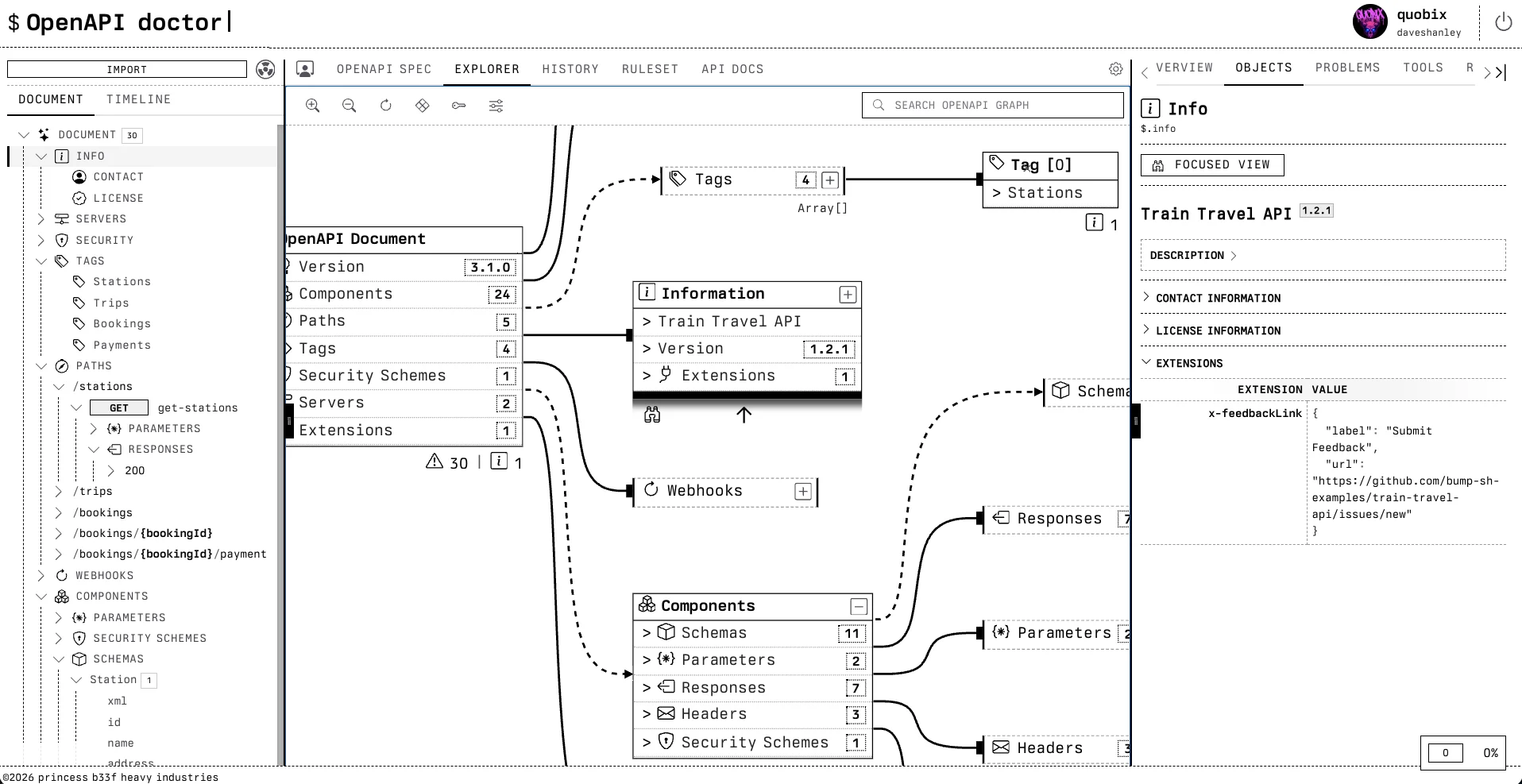
An experience for colorblind folks that felt as good as, if not better than, the pb33f theme (which they can’t see properly).
What should be avoided:
It shouldn’t feel like swapping a retina display for a fax machine.
There are different forms of colorblindness, so to go one step further, make the system work with no color, so it looks great, no matter how we see color!
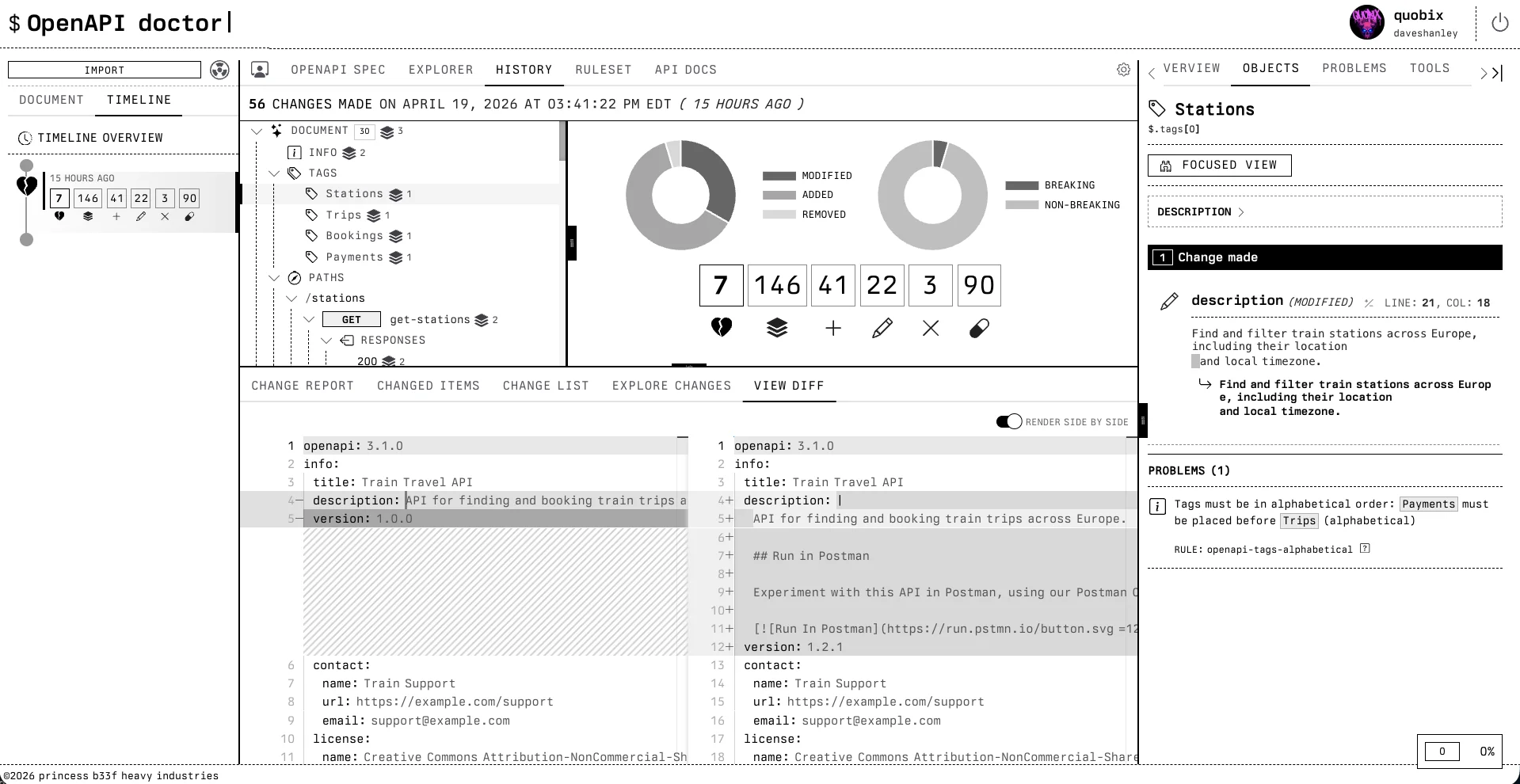
Roger Mode does just that in my opinion. A monochrome, e-ink-inspired way to explore the product as if rendered on a Kindle or something where color cannot be used to communicate state. Roger Mode has really made me think harder about A11y design. Color has no meaning, so communicating state becomes a careful set of choices.
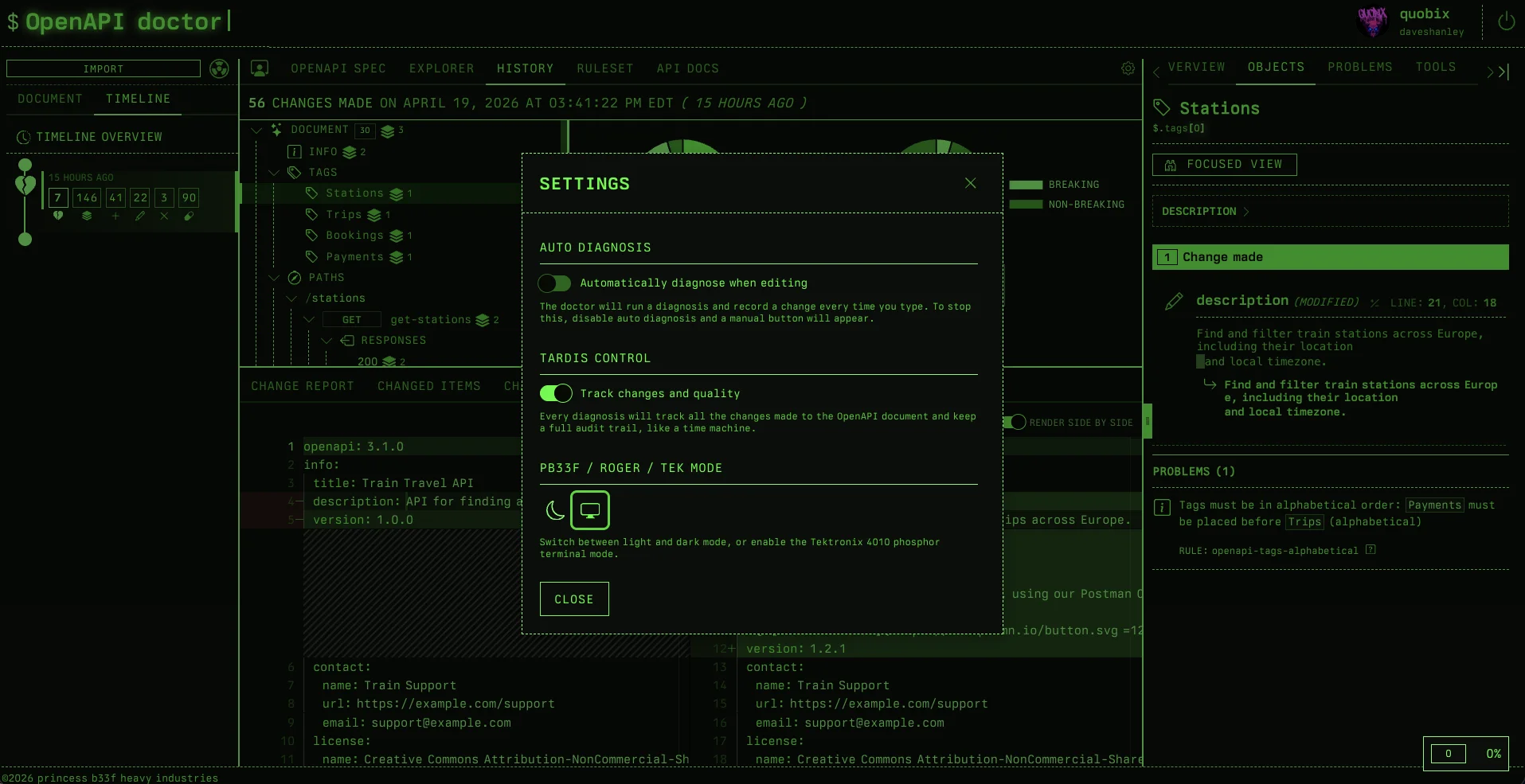
And for fun, a new Tektronix theme that is the same as Roger Mode, except reversed, and uses phosphor green monochrome instead of black. It’s a throwback to the 1970s, before my time, but still an important step in the history of computer science.
Every time that green appears in my face, the need to turn on some synthwave starts bubbling.
The library that powers all this capability is open source, and the components that power the doctor library are also open source. As the open source improves, so does the product, and every pb33f tool is compatible with the doctor (because it’s composed of them).
Compare two OpenAPI Specs
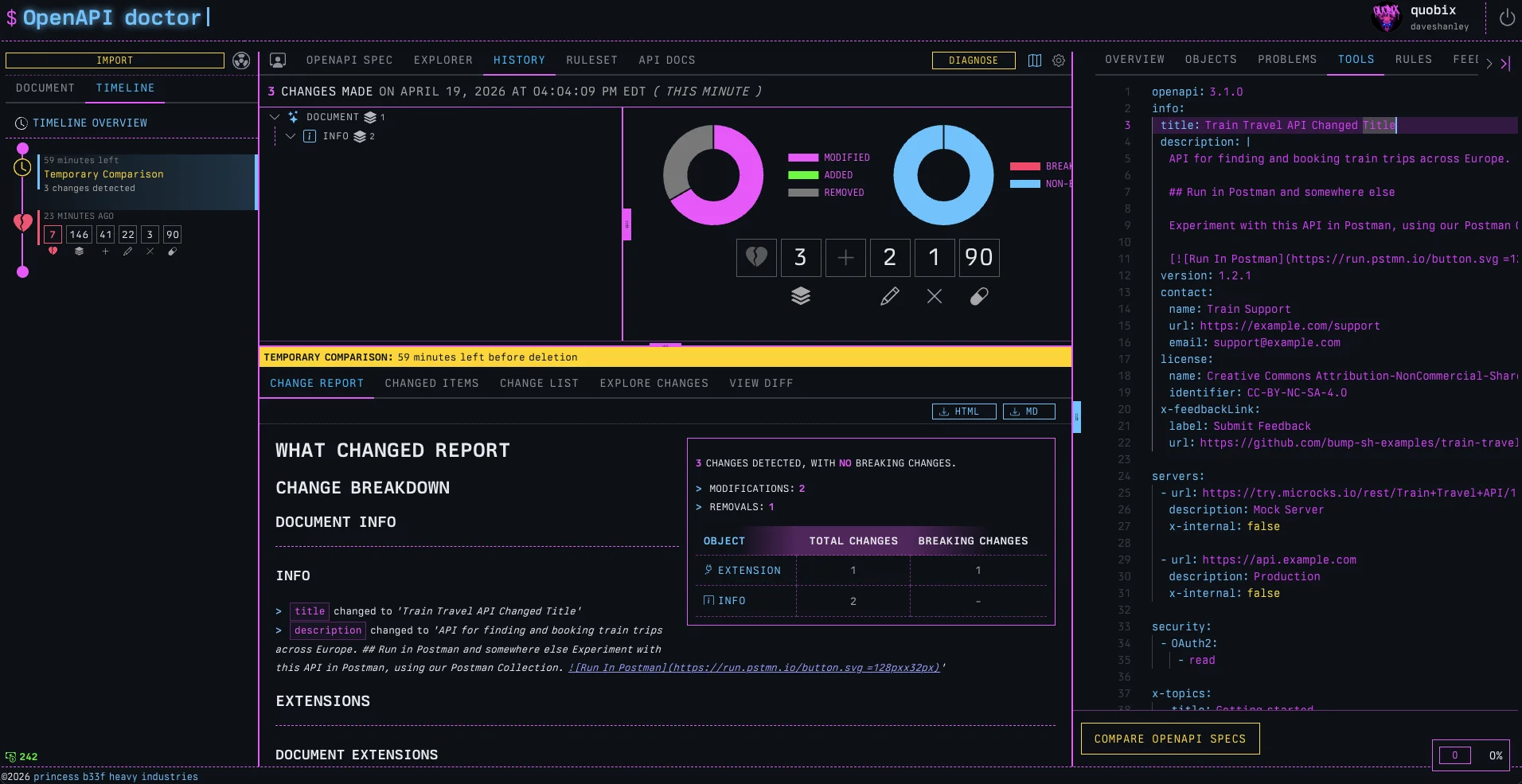
There used to be an online demo for openapi-changes, but it’s been taken down because it’s been fully replaced by a new feature in the TOOLS tab
Left (original) Spec in the main workspace, and right (modified) in the tools pane, and then hit ‘COMPARE OPENAPI SPECS’.
A temporary change is created on the timeline. It lasts for an hour and we can explore the change like any other.
Much more to come
All these features are live and available now. Try them out, it’s all completely free to use while we build out the platform and feature-set.
Another few major features are cooking right now, and another new member of the pb33f family has been born and is in the nursery right now, the final zord to complete the megazord.
I will give you a hint. It’s called the Printing Press, it’s the tool I wanted to start with, but decided to end with instead. It’s very exciting and already being tested at enterprise scale.
Can you guess what it does?